
HACCP, made easy.
Record deliveries, temperature checks and cleaning. Keep reviewed allergen information and workplace records easy to find, in one simple app.
- Works without signal
- Every correction kept
- €30 per location a month
The problem
Paper logs slow the day down
Clipboards go missing, sheets get filled in at the end of a shift, and when someone asks for last week’s fridge readings or the batch code of a delivery, the answer is in a folder somewhere — if it was written down at all.
On paper
- Sheets filled in at the end of a shift
- Some checks never written down
- Last week’s records in a folder somewhere
With Hygivo
- Each check recorded when it happens, by the person who did it
- Out-of-range readings saved as they are, with what was done
- Every record searchable later, with any correction and its reason
What it covers
The checks your kitchen already does
Hygivo follows the work as it happens: a delivery arrives, a fridge is checked, a surface is cleaned. Each is recorded once, by the person who did it, with the time it happened.
Food deliveries
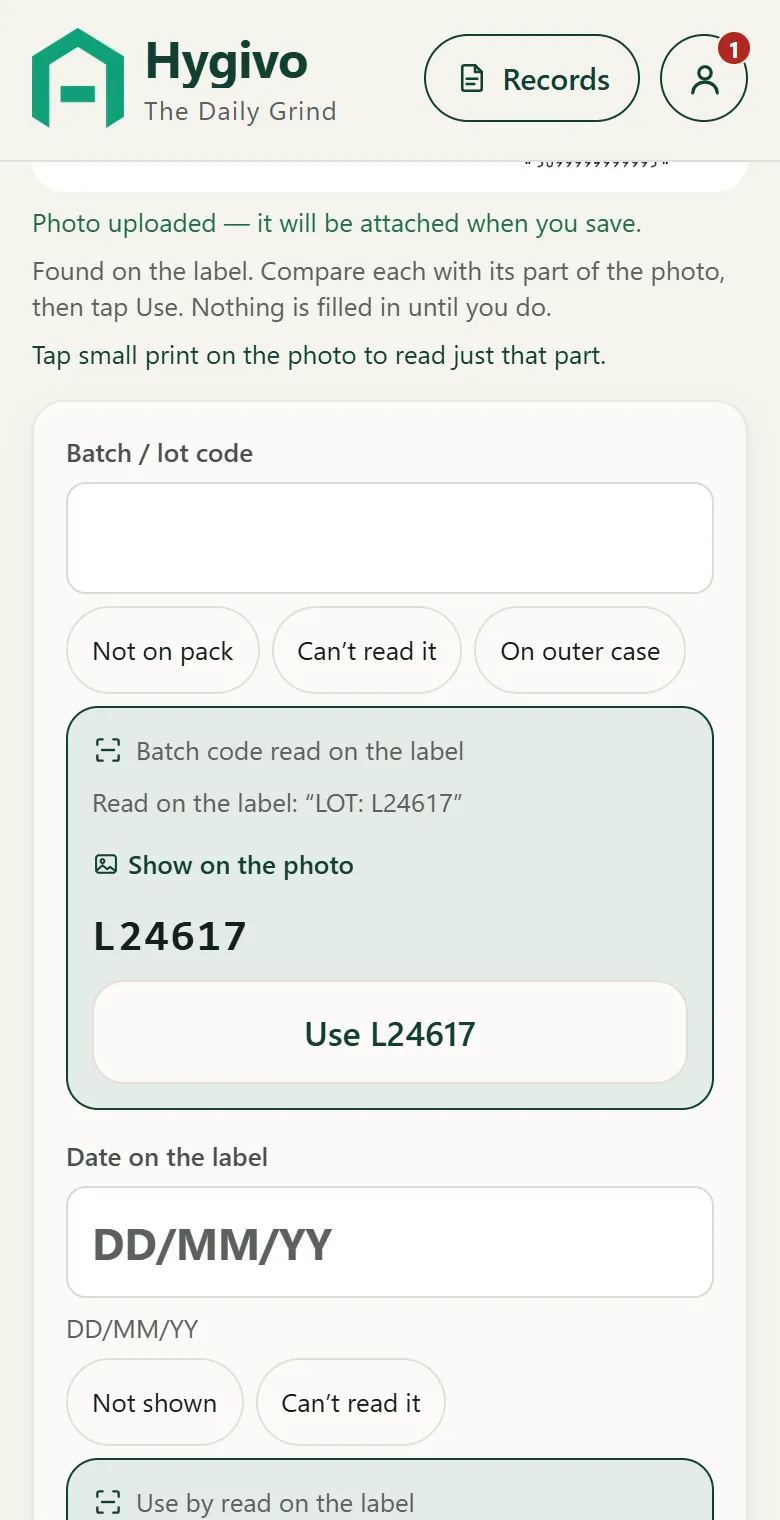
Keep label photos and confirmed delivery details together.
Learn moreTemperature checks
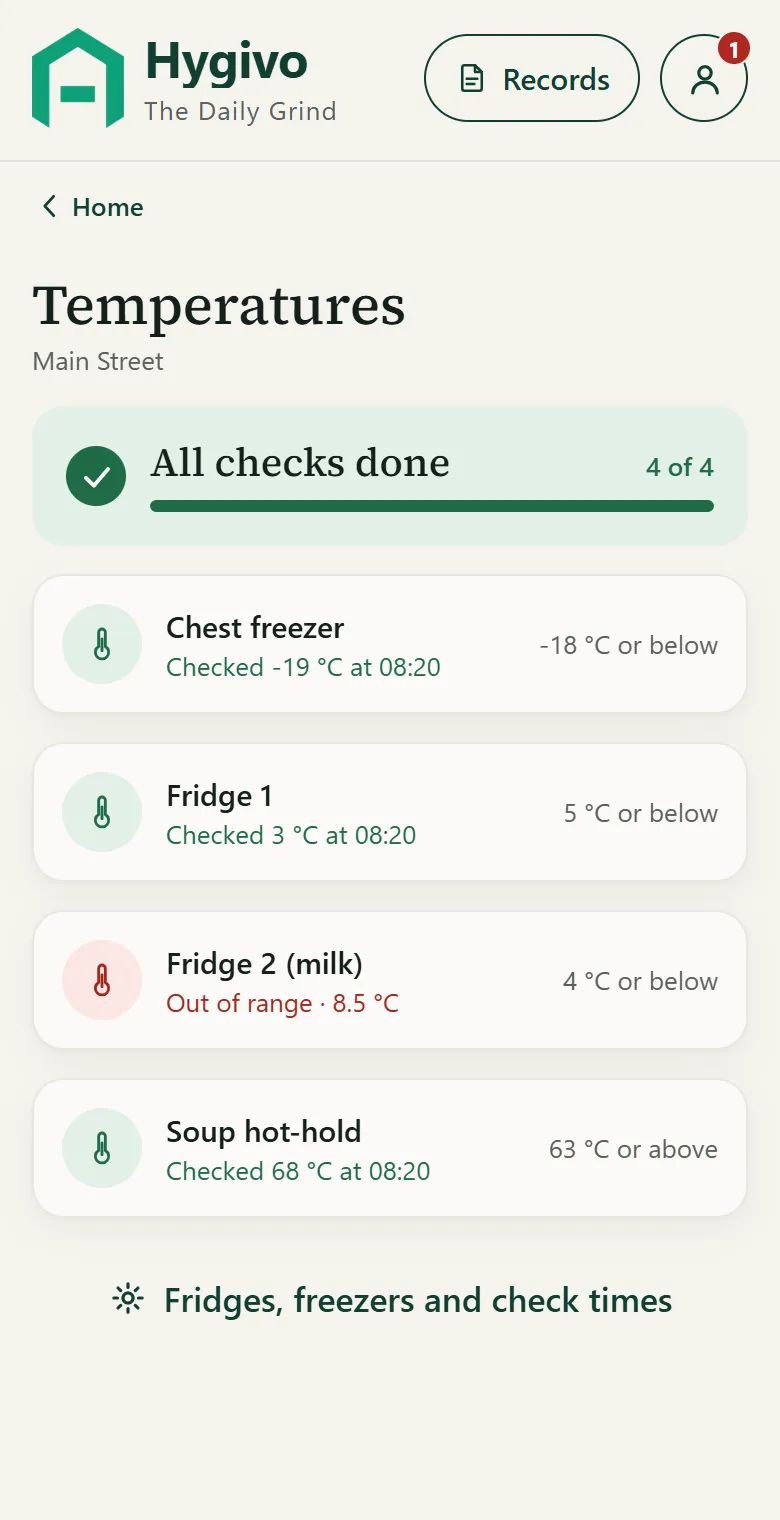
Record readings and the action taken when something needs attention.
Learn moreCooking and hot food
Keep the checks your kitchen uses together.
Learn moreCleaning
See what is due and what was completed.
Learn moreAllergens
Find reviewed information for the items you sell.
Learn moreRecords
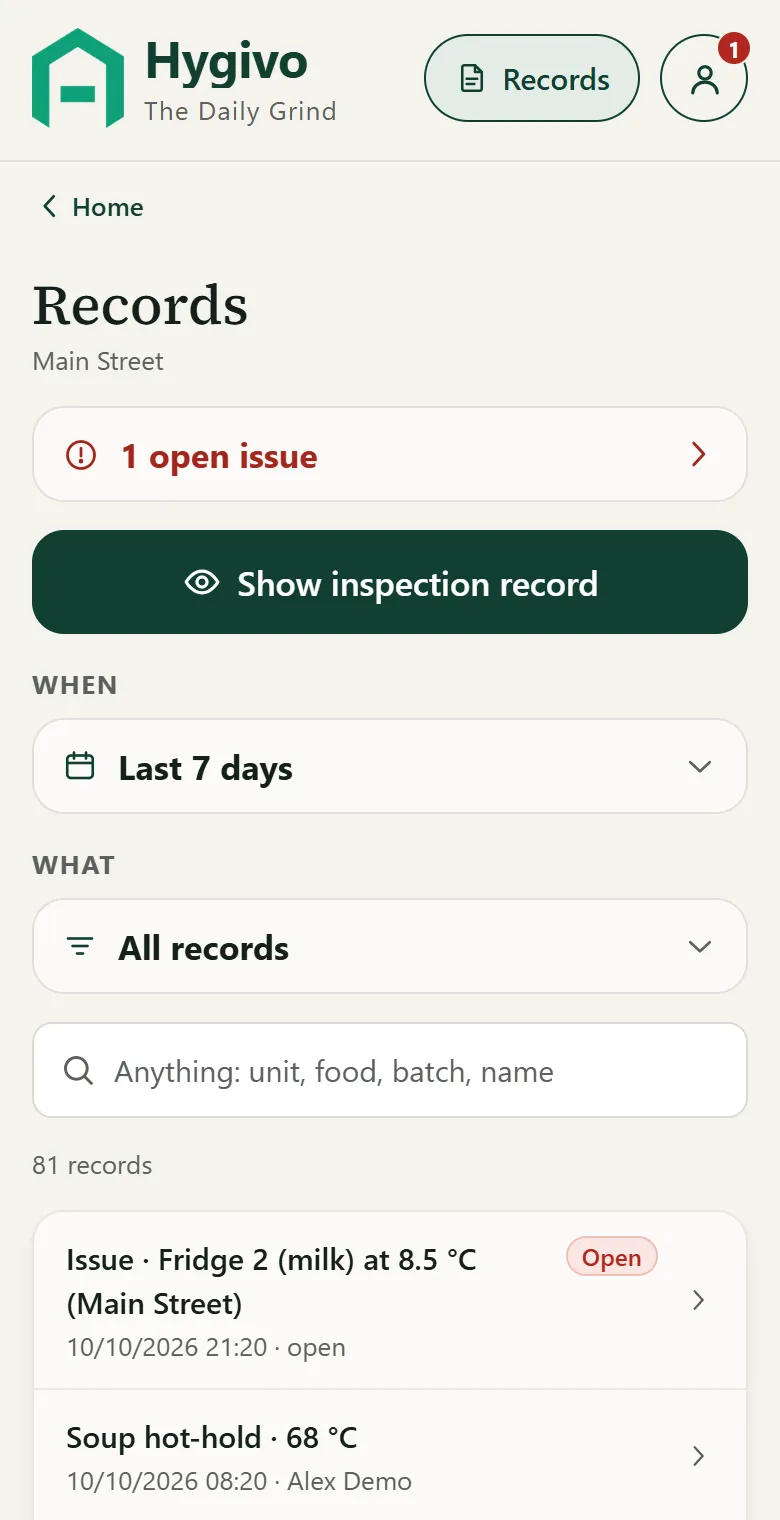
Search by batch, product, unit or name. Filter by date and type, and open the inspection record.
How Records worksThe app
See it in the app
Real screens from Hygivo, with sample data.
Records
Find the record while the question is being asked.
Search by batch code, product, supplier, equipment or date. Filter to one location and a date range, open the original entry and see any correction beside it — who changed what, when and why. Export the records you are allowed to see as a spreadsheet (XLSX or CSV).
Staff who are authorised at a location can show its records even when the manager is away.
- What was recorded, by whom, and when it happened
- When it reached the workplace (offline entries show both)
- The original value and any later correction, with the reason
- Missed checks and the reason given — never a blank
Hygivo organises the evidence of your work. It does not guarantee the result of an inspection — your business remains responsible for its procedures and practices.
Getting started
Three steps to start
- 1
Create your workplace
Business name, venue type, first location and time zone.
- 2
Add your locations and checks
Fridges and freezers, cleaning tasks, delivery rules. Defaults are a starting point — check them against your own procedures.
- 3
Activate, then invite your team
With payment or a trial code. You can set up and save everything first. Recording and invites start when the workplace is activated.
Pricing
Simple pricing for each location
Plus VAT where applicable. Staff access included.
Monthly
€30 per location / month
Manage or cancel in Account › Billing.
Yearly
€299 per location / year
Against 12 monthly payments.
Got a Hygivo card?
Your 30 days begin when you redeem your code. No payment card is needed, and an unused code does not expire. One trial per eligible business; full terms apply.
Use my trial codeWorking in hospitality showed me how much time teams spend on paperwork. I’m building Hygivo to make daily food-safety records easier to complete and easier to find.
FAQ
Questions
How does a business get started?
The owner creates the workplace at app.hygivo.com — business, first location and the checks you do — then activates it with a plan or a trial code and invites the team.
Can staff use it?
Yes. Staff join with an invite link from the owner or a manager and use their own account to record checks. Owners and managers set up the workplace and are the ones who can correct a record, always with a reason.
What happens when the internet connection drops?
Checks recorded without a connection are kept on the phone, clearly marked as saved on the device, and sent by themselves when the connection returns — each one stored once. Records and reports need a connection.
Is the price per staff member?
No. Website plans are priced per location, with staff access included.
Does every signup get a free trial?
Trials are available through eligible Hygivo codes. You can set up your workplace before activating logging.
When does my trial start?
When you redeem the code, not when the card is printed or handed to you.
Will the no-card trial charge me automatically?
No. You would need to choose and complete a paid subscription.
What happens if I cancel?
Your paid access follows the cancellation date shown by your billing provider. Retained records remain available to authorised users under the published retention policy; new logging requires active access.
Does Hygivo guarantee passing an inspection?
No. Your business remains responsible for its food-safety procedures and the work being carried out. Hygivo helps you organise the records supporting that work.
Can I export my records?
Yes. Export the records you are authorised to access in XLSX or CSV, and use the on-screen records view to look up information.
Which devices does it work on?
Any modern phone, tablet or computer browser at app.hygivo.com. The iPhone app will be linked here once it is on the App Store.
Does label scanning always get it right?
No. It helps with typing. Every suggested value is shown for you to check before saving, and unreadable labels are recorded as unreadable.
How do I get help?
Use the contact form or email support. We reply by email during published support hours.